
August 28, 2026
The $86,000 Hour: How Ransomware Downtime Pricing Works (And How to Dodge It)
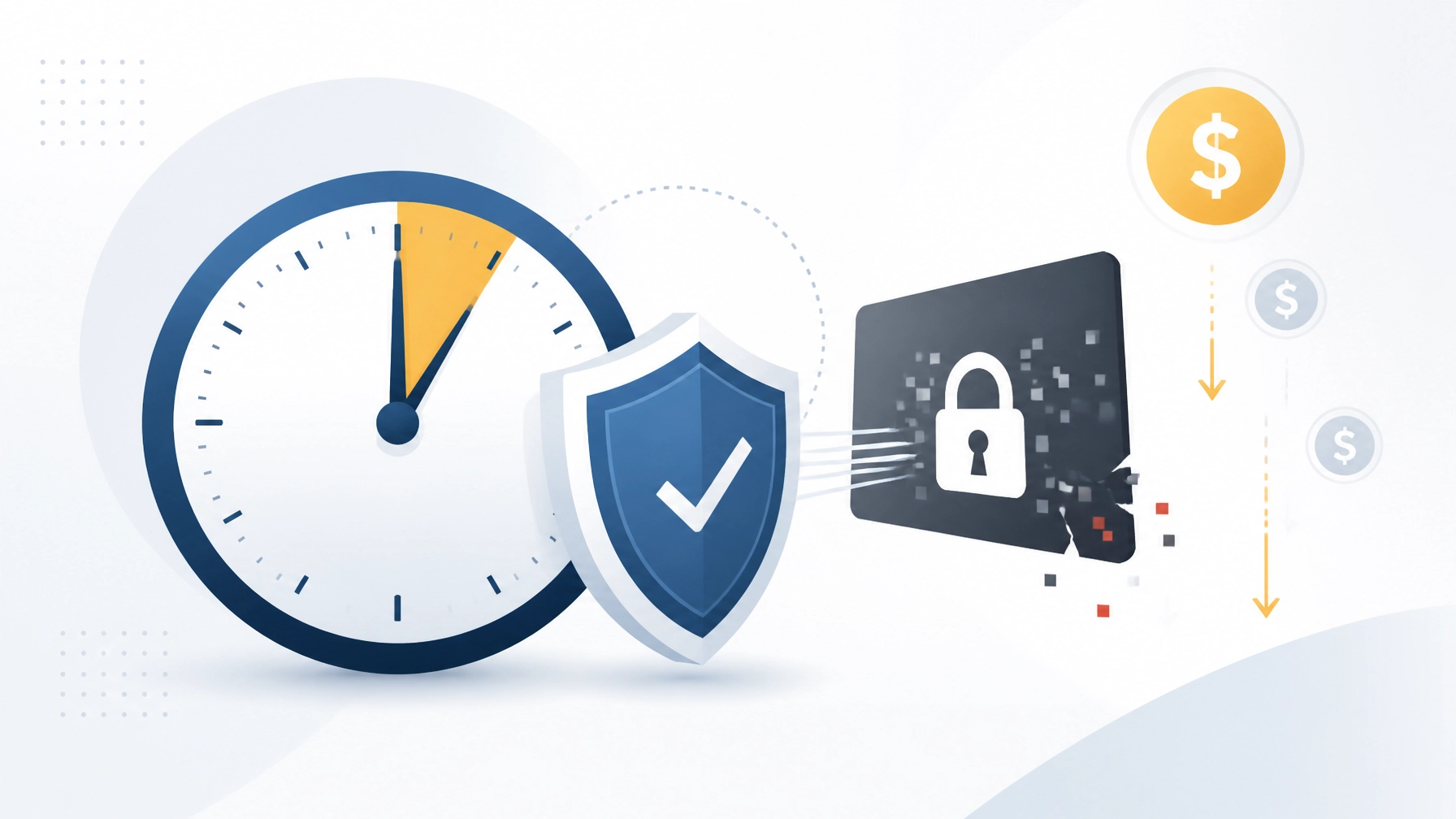
Quick answer: How much does ransomware downtime cost?
For a small business, one hour of IT downtime may cost anywhere from $5,000 to $25,000 when lost revenue, idle labor, emergency recovery, and customer impact are included. For larger SMBs, highly transactional businesses, and industrial operations, the cost can reach $50,000 to $100,000 or more per hour.
That makes $86,000 per hour a realistic planning scenario for a larger or higher-revenue small business: not a universal average.
The important point is simple: ransomware does not only create a technology problem. It can stop sales, delay operations, prevent employees from working, disrupt customer service, and force expensive emergency decisions. The longer your systems remain unavailable, the more the financial impact compounds.
We help businesses reduce that exposure with proactive cybersecurity, automated backups, tested recovery processes, immutable backup protection, and 24/7 monitoring. Let’s look at how ransomware downtime pricing works and how your business can stay ahead of it.
Ransomware downtime cost: Why one hour becomes expensive
A ransomware incident often begins with a locked computer or encrypted file. The real cost spreads much further.
When critical systems go offline, your business may lose access to:
- Accounting and payroll systems
- Customer relationship management platforms
- Shared files and line-of-business applications
- Email and communications
- Payment processing
- Production, inventory, or scheduling systems
- Cloud applications and network resources
Even if your physical office remains open, employees may be unable to complete their work. Customers may experience delays. Orders may remain unfulfilled. Managers may need to divert their attention from growing the business to coordinating recovery.
Research from IBM’s 2025 Cost of a Data Breach report places the average cost of ransomware and extortion incidents across organizations at millions of dollars. SMB-specific costs vary widely, but the pattern is consistent: downtime and recovery expenses frequently exceed the original ransom demand.
That is why we calculate risk based on business impact: not just the price of a security tool.
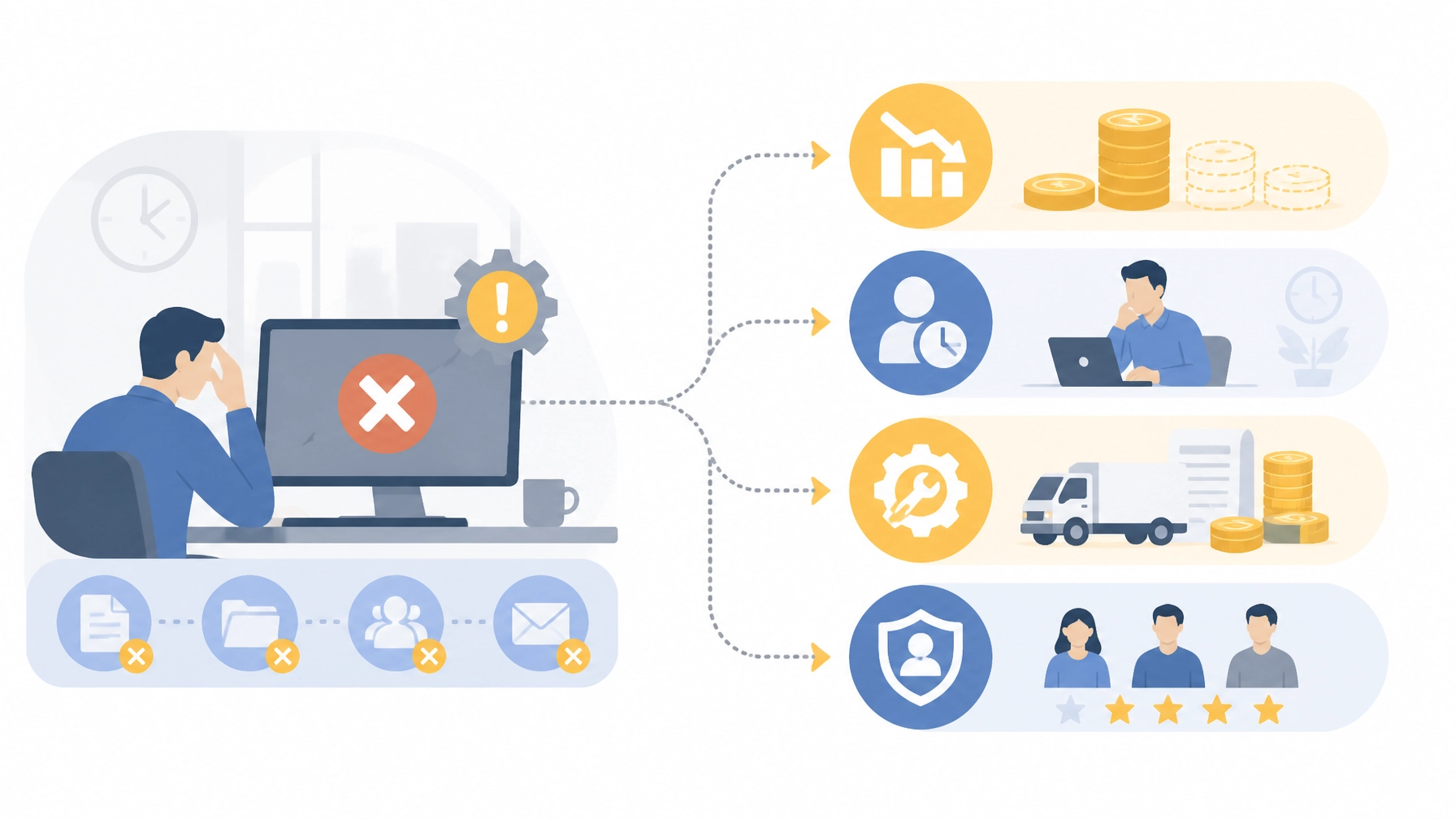
The cost of business downtime includes more than lost sales
1. Lost revenue
Lost revenue is the most visible component of downtime. If customers cannot place orders, employees cannot process transactions, or production cannot continue, every unavailable hour creates a measurable financial gap.
A simple starting calculation is:
Hourly revenue at risk = Monthly revenue ÷ approximately 720 hours
Then estimate what percentage of your operations stops during an outage. If your business generates $1.5 million in monthly revenue and ransomware halts 75% of operations, the revenue exposure can quickly reach tens of thousands of dollars per hour.
This does not mean every business loses its entire hourly revenue during an incident. It means you need a realistic estimate based on which systems are affected and how much work can continue manually.
2. Lost employee productivity
Employees still cost money while systems are unavailable. If 20 employees earning an average fully loaded cost of $40 per hour cannot work, the business loses at least $800 in labor capacity per hour: before considering managers, contractors, overtime, or delayed projects.
Productivity loss can also continue after systems are restored. Teams may need to:
- Re-enter data
- Reconcile transactions
- Rebuild schedules
- Recreate documents
- Contact customers
- Review compromised accounts
- Correct errors caused by manual workarounds
For many businesses, these hidden labor costs are larger than expected.
3. Emergency recovery expenses
Ransomware recovery requires specialized expertise. You may need emergency incident response, digital forensics, legal counsel, cybersecurity consultants, replacement hardware, expedited licensing, or temporary systems.
Recovery costs can include:
- Malware removal and endpoint remediation
- Identity and access investigation
- Server and workstation rebuilds
- Backup validation
- Network segmentation
- Password and credential resets
- Regulatory or contractual notifications
- Overtime for internal staff
Sophos research summarized in recent ransomware reporting has placed average recovery costs well into six figures for many organizations, even before considering every long-term business consequence. Acronis also notes that downtime can greatly exceed the ransom itself.
4. Customer and reputational damage
Customers remember service interruptions: especially when communication is slow or unclear. A ransomware incident can create concerns about data protection, reliability, and business continuity.
The impact may appear as:
- Canceled orders
- Lost renewals
- Contract penalties
- Negative reviews
- Customer churn
- Difficulty winning new business
- Higher cyber insurance premiums
Reputation is difficult to price precisely, but it belongs in every serious downtime calculation. Your customers deserve confidence that your business can protect information and continue serving them.
How much does downtime cost? Use a business-specific calculation
There is no single average cost per hour or minute that applies to every SMB. A professional services firm with 10 employees will experience downtime differently from a manufacturer, medical office, distributor, or retailer.
Use this practical formula:
Total hourly downtime cost = lost revenue + idle labor + recovery expense + customer and compliance impact
For example:
- Lost revenue: $35,000 per hour
- Idle labor: $8,000 per hour
- Emergency recovery expense: $15,000 per hour
- Customer, contractual, and reputational impact: $28,000 per hour
Estimated total: $86,000 per hour
This is how a business arrives at the article’s headline figure. It is not a universal industry average. It is a realistic risk-planning scenario for an SMB with meaningful revenue, multiple employees, and systems that are central to daily operations.
Smaller businesses may reasonably plan around $5,000 to $25,000 per hour. Larger SMBs and businesses with highly time-sensitive operations may face $50,000 to $100,000 or more per hour.
We can help you calculate a more defensible number based on your revenue, employee count, systems, industry, and recovery requirements.
Disaster recovery for small business: The protection that changes the outcome
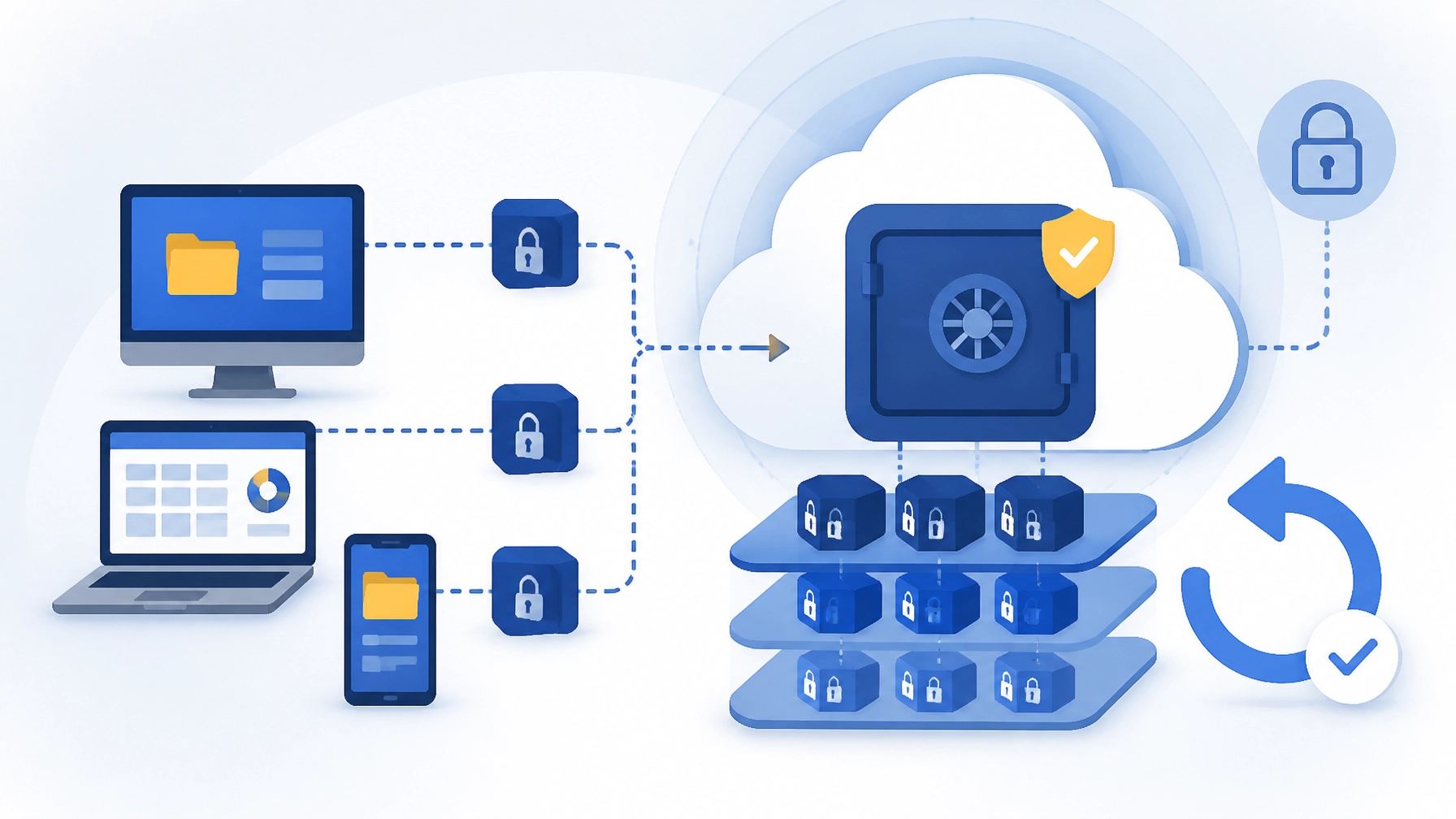
Ransomware protection is not complete when you block an attack. Your business also needs a dependable way to restore operations if prevention fails.
A strong backup and disaster recovery strategy includes:
Automated, encrypted backups
Backups should run consistently without relying on someone to remember them. Encryption protects backup data in transit and at rest, reducing exposure if storage or credentials are compromised.
Immutable backup copies
Immutable backups cannot be altered or deleted during a defined retention period. This matters because attackers often target backup systems first. If ransomware can encrypt or erase your backups, recovery becomes much more difficult.
Tested restores
A backup is only valuable if it can be restored. We verify that files, applications, servers, and critical systems can be recovered as expected.
Testing should answer practical questions:
- How quickly can we restore a specific file?
- How long will it take to recover a server?
- Can employees access restored applications?
- Are permissions and configurations intact?
- What happens if the primary backup is unavailable?
Defined recovery objectives
Your recovery plan should establish:
- Recovery Point Objective (RPO): How much recent data can the business afford to lose?
- Recovery Time Objective (RTO): How quickly must a system be restored?
A business that can tolerate four hours of data loss will need a different backup design from a business that requires near-real-time recovery.
24/7 monitoring catches trouble before it becomes downtime
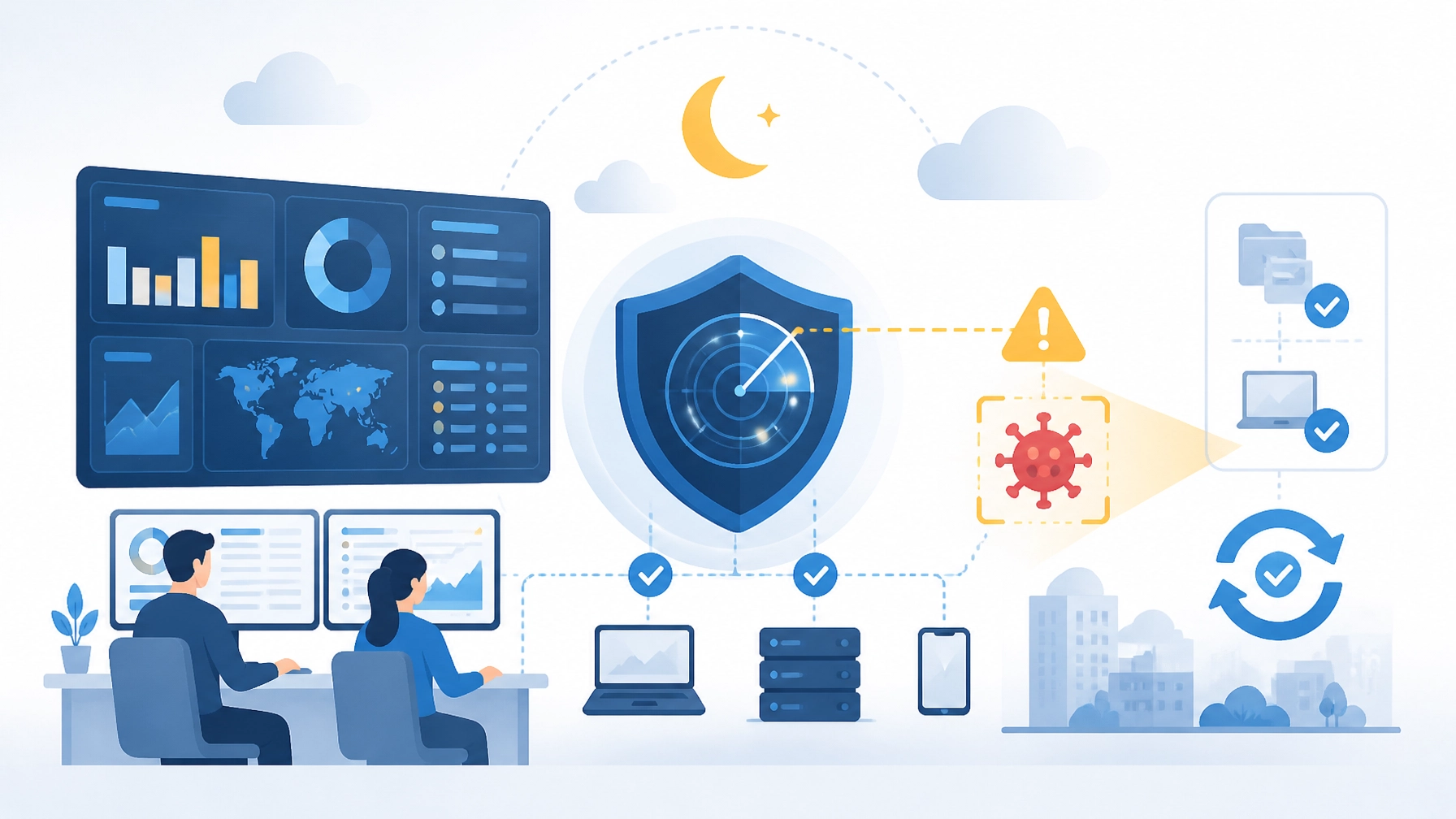
Prevention and recovery work best together. Our IT support and cybersecurity services use proactive monitoring to identify suspicious activity, system failures, outdated software, and performance problems before they interrupt your operations.
24/7 monitoring can help detect:
- Unusual login behavior
- Endpoint malware activity
- Suspicious network traffic
- Failed backup jobs
- Storage or hardware warnings
- Unpatched vulnerabilities
- Performance degradation
- Unauthorized configuration changes
Our team can respond to issues earlier, contain threats, and keep small problems from becoming business-wide outages. You do not have to wait for employees to report a failure: or discover that your backups stopped working months ago.
How to protect your business from ransomware now
Your business needs layered protection. Start with these actions:
- Enable multi-factor authentication for email, remote access, cloud applications, and administrator accounts.
- Keep operating systems and applications patched through centralized patch management.
- Deploy endpoint detection and response rather than relying on basic antivirus alone.
- Segment critical systems so one compromised device cannot provide access to everything.
- Use least-privilege access to limit what each account can change.
- Maintain encrypted, immutable backups with offline or logically separated copies.
- Test restores regularly and document the recovery process.
- Train employees to recognize phishing and business email compromise.
- Monitor the environment continuously for suspicious behavior and backup failures.
- Review the plan with leadership so everyone knows who makes decisions during an incident.
You do not need to build this alone. We design scalable protection for businesses with a single PC, a growing office, or an enterprise-level environment.
Do not leave your recovery time to chance
The most expensive ransomware decision is often the decision to wait. Waiting can allow attackers to move laterally, compromise backups, steal data, and increase the time required to restore operations.
Your business deserves a recovery plan that has been designed before the emergency: not improvised during it.
At Southwest Technical Support, we deliver proactive managed IT, cybersecurity, backup, disaster recovery, and 24/7 monitoring for businesses across the Dallas–Fort Worth area. Let’s work together to calculate your realistic cost of downtime and build a plan that protects your operations, your customers, and your future.
Frequently asked questions about ransomware downtime cost
How much does IT downtime cost a small business?
A small business may lose approximately $5,000 to $25,000 per hour of downtime, depending on its revenue, employee count, industry, and dependence on technology. Larger SMBs or highly transactional organizations can face $50,000 to $100,000 or more per hour.
How does ransomware affect business costs?
Ransomware affects costs through lost revenue, idle employee time, emergency recovery, forensic investigation, legal and compliance work, customer churn, contractual penalties, and reputational damage. Downtime often costs more than the ransom itself.
What is the average cost per hour of downtime?
There is no universal average for every SMB. A practical planning range is $5,000 to $25,000 per hour for many smaller businesses, while larger or more operationally dependent SMBs may exceed $50,000 per hour. Calculate your own exposure using revenue, labor, recovery, and customer-impact costs.
How can I protect my business from ransomware?
Use layered cybersecurity with multi-factor authentication, endpoint detection and response, patch management, employee training, network controls, 24/7 monitoring, and encrypted immutable backups. Test your restores regularly so you know recovery will work when needed.
What is a disaster recovery plan?
A disaster recovery plan documents how your business will restore systems, data, applications, communications, and employee access after a cyberattack, outage, or other disruption. It should define recovery priorities, responsible people, RPOs, RTOs, backup methods, communication steps, and tested restoration procedures.
Sources
Have an IT challenge to solve?
Our DFW team is ready to help. Get a free, no-pressure assessment.
Get in touch