
August 21, 2026
10 Reasons Your IT Isn’t Working (And How to Fix It)
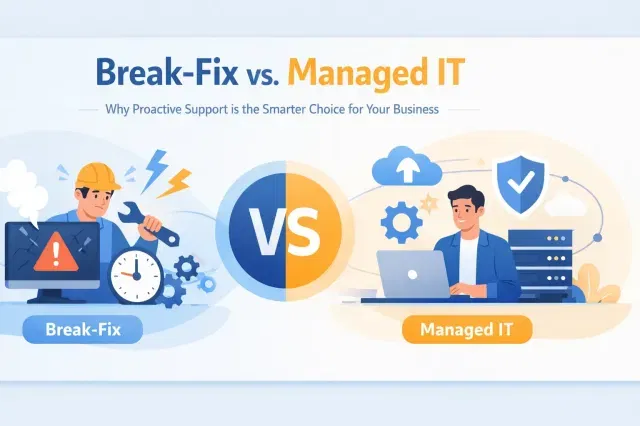
If your technology has become a source of friction instead of fuel, you’re not alone. Slow computers, unreliable Wi-Fi, security alerts, missing files, and recurring outages can quietly drain productivity and confidence.
The good news is that most IT problems are preventable. When we replace reactive fixes with proactive monitoring, layered security, reliable backups, and strategic planning, your technology becomes an advantage again.
This guide explains how managed IT services for small business address recurring technology issues with proactive IT maintenance, 24/7 network monitoring, cybersecurity for small business, and backup and disaster recovery.
Here are the ten most common reasons your IT is holding your business back, and the practical fix for each one.
1. Proactive IT Support Keeps Small Problems from Becoming Outages
When you only call for help after something breaks, your business operates in emergency mode. Failing hardware, missed patches, overloaded systems, and security gaps continue developing until they interrupt your team.
Break-fix support may appear less expensive month to month, but the cost of downtime, lost productivity, and rushed repairs adds up quickly.
The fix: move to proactive maintenance.
Proactive IT support means identifying and resolving issues before they cause downtime, security incidents, or user frustration. A managed IT approach continuously checks system health, applies patches, tunes performance, and identifies warning signs before they become business disruptions. Our IT Support & Maintenance services include proactive system monitoring, patch management, performance tuning, and responsive help desk support.
For small businesses, proactive IT maintenance reduces surprise failures, improves productivity, and lowers the long-term cost of support. You deserve technology that works reliably, not a support plan that waits for failure. Let’s work together to prevent recurring problems at the source.
2. 24/7 Network Monitoring Protects Your Business After Hours
Cybercriminals do not keep business hours. Hardware failures, internet outages, and suspicious network activity can also begin overnight, on weekends, or during holidays, when no one on your team is watching.
Without continuous oversight, a problem may remain undetected until employees arrive and discover that systems are unavailable.
The fix: use 24/7 network monitoring with real-time alerts.
24/7 network monitoring is important because many outages, hardware failures, and cybersecurity events begin outside normal business hours. Continuous monitoring tracks device availability, bandwidth, performance, login activity, and unusual behavior. When an issue appears, our team can investigate and respond before it affects your operations.
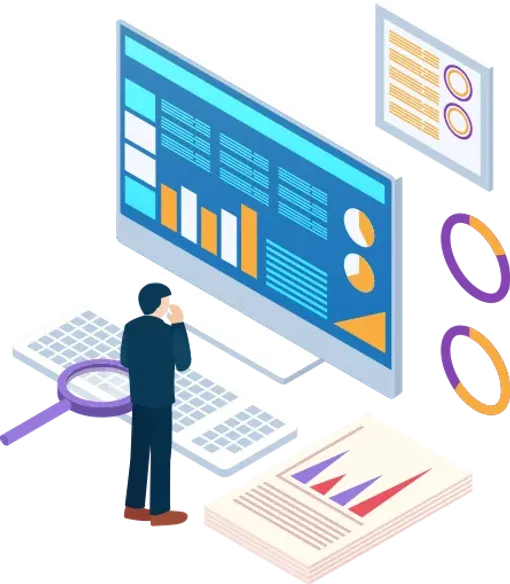
Our experts deliver the visibility needed to maximize uptime. You gain confidence that someone is watching your infrastructure around the clock, not just when an employee reports a problem.
3. Layered Cybersecurity Creates Stronger Protection
A firewall by itself is not a complete cybersecurity strategy. Antivirus software alone is not enough either. When security consists of disconnected tools with no central oversight, attackers can exploit the gaps between them.
Your business needs protection across users, devices, networks, applications, email, and data.
The fix: build a layered security stack that works together.
A strong security program can include:
- Firewall management, secure VPN, and content filtering
- Intrusion detection and prevention systems, or IDS/IPS
- Endpoint detection and response, antivirus, and anti-spam protection
- Email security and phishing protection
- Multi-factor authentication and access controls
- Security information and event management, or SIEM
- AI-powered threat detection and security operations support
Our Cyber Security services are designed for small and midsize businesses that need serious protection without building a full internal security department. We combine technology, monitoring, and expertise to deliver cybersecurity for small business environments and help keep threats out while your business moves forward.
4. Backup and Disaster Recovery Protect What Your Business Cannot Replace
A backup is not a disaster recovery plan. Files may be missing from the backup, cloud applications may be excluded, or the restore process may fail when you need it most.
Ransomware, accidental deletion, equipment failure, theft, and severe weather can all put critical business data at risk.
The fix: automate, encrypt, and test your backups.
A dependable backup and disaster recovery strategy should include:
- Automated backups on a defined schedule
- Encryption for data in transit and at rest
- Offsite or cloud-based backup copies
- Real-time synchronization where appropriate
- Documented recovery procedures
- Regular restore testing
The Cybersecurity and Infrastructure Security Agency recommends performing and testing backups, while the Federal Trade Commission advises businesses to update software and back up files regularly.
Our Backup & Disaster Recovery solutions help you recover faster and reduce the impact of an unexpected event. Effective backup and disaster recovery protects critical data, reduces downtime, and gives your business a documented path to recovery after ransomware, hardware failure, or human error. Your data deserves more than a backup checkbox: it deserves a recovery strategy you can trust.
5. Security Awareness Training Turns Your Team into a Stronger Defense
Your employees are not the problem. However, without regular training, even a careful employee may miss a convincing phishing email, fraudulent invoice request, or malicious attachment.
Attackers often target people because credentials and access can be easier to exploit than technical controls.
The fix: provide regular security awareness training and phishing simulations.
Effective training teaches employees how to:
- Recognize suspicious links, attachments, and requests
- Verify payment or password-change instructions
- Report potential incidents quickly
- Use secure passwords and multi-factor authentication
- Protect devices while working remotely or traveling
Phishing simulations reinforce those lessons in a practical way. Instead of waiting for a real attack to reveal a knowledge gap, we help your team practice responding safely.
Security is a shared responsibility. Together, we can build a culture where employees know what to do: and never feel alone when something looks suspicious.
6. Access Management Brings Passwords and Permissions Under Control
Shared passwords, former employee accounts, excessive administrator privileges, and inconsistent access rules create unnecessary risk. They also make onboarding and offboarding slower than they should be.
When everyone has access to everything, a compromised account can expose far more of your business than necessary.
The fix: enforce identity and access management best practices.
Your organization needs:
- Multi-factor authentication across critical systems
- Unique passwords supported by a password manager
- Least-privilege access based on job responsibilities
- Separate administrator accounts
- A documented onboarding process
- Immediate access removal during offboarding
- Regular access reviews
The FTC recommends strong passwords, encryption, and multi-factor authentication for protecting business systems and data. We can help apply those practices consistently across your environment.
Better access controls protect sensitive information while making employee transitions more organized and predictable.
7. Computer Repair and Lifecycle Planning Replace Aging Hardware
Old laptops, servers, routers, and workstations do more than slow your team down. Aging equipment may not support current software, security patches, or business applications. It can also fail without warning.
Repeated repairs are often a sign that replacement planning is overdue.
The fix: create a hardware lifecycle replacement plan.
We begin with a current inventory of your devices, their age, operating systems, warranty status, and business importance. From there, we calculate which equipment should be repaired, upgraded, or replaced.
A lifecycle plan helps you:
- Reduce unexpected hardware failures
- Keep devices supported and patched
- Budget for technology improvements
- Standardize equipment across your team
- Improve employee performance and satisfaction
Our Computer Repair services cover diagnostics, hardware repair, performance optimization, malware removal, and procurement. We help you make technology decisions based on business value: not guesswork.
8. A Technology Audit Eliminates Waste and Missing Capabilities
Many businesses pay for software they rarely use while lacking tools that could improve collaboration, security, or productivity. Overlapping applications also create extra accounts, inconsistent data, and more opportunities for configuration errors.
The fix: complete a technology audit.
A technology audit is a structured review of your hardware, software, cloud services, security controls, licenses, subscriptions, and workflows to identify waste, risk, and missing capabilities. We map your hardware, software, cloud services, licenses, subscriptions, and workflows to actual business needs. This process identifies:
- Unused or redundant software
- Expiring licenses and unsupported applications
- Security risks created by unmanaged tools
- Manual processes that should be automated
- Missing backup or access protections
- Opportunities to consolidate platforms
The goal is not to add more technology. It is to make your existing technology work harder for your business while reducing unnecessary expense and complexity.
9. Strategic Technology Planning Keeps Your Business Ready for Tomorrow
Without a roadmap, technology decisions become urgent reactions. You replace equipment only after failure, address security only after an incident, and postpone improvements because no one knows what should happen next.
Your business needs a forward-looking plan that supports growth.
The fix: build and review a quarterly technology roadmap.
A useful roadmap aligns IT priorities with business goals such as hiring, expansion, remote work, compliance, customer service, or improved efficiency. It can include:
- Planned hardware and software upgrades
- Cybersecurity improvements
- Backup and recovery testing
- Network and internet upgrades
- Cloud migration projects
- Budget forecasts and implementation timelines

We believe technology planning should be practical, measurable, and connected to your full potential. Quarterly reviews help us adjust the plan as your business changes, keeping you ahead of the curve.
10. A Trusted IT Partner Gives You Expertise Without the Overhead
Trying to manage every technology issue yourself pulls you away from customers, employees, and growth. Hiring a full-time IT department may not fit your budget or staffing plans. Waiting for a crisis is not a strategy.
The fix: partner with a managed IT provider that treats your infrastructure as its own.
Managed IT services typically include proactive monitoring, patch management, help desk support, cybersecurity tools, backup and disaster recovery, technology planning, vendor coordination, and ongoing maintenance. The right partner delivers more than a help desk. You gain access to:
- Proactive monitoring and maintenance
- Layered cybersecurity
- Backup and disaster recovery expertise
- Strategic technology planning
- Computer repair and optimization
- Internet and telecom coordination
- Scalable support for a single PC or an enterprise environment
At Southwest Technical Support, we serve as an extension of your team. We learn how your business operates, prioritize what matters most, and deliver personalized support designed to keep your systems secure, productive, and competitive.
Make Your IT a Business Advantage Again
Your IT should help your team do its best work: not create daily uncertainty. Proactive support, 24/7 monitoring, layered cybersecurity, and tested backup and disaster recovery give your business the foundation it needs to operate confidently.
If your small or midsize business cannot afford extended downtime, let’s work together to identify the risks, remove the friction, and create a technology plan built around your goals.
Frequently Asked Questions About Managed IT Services for Small Business
What is proactive IT support?
Proactive IT support is an ongoing service model that monitors, maintains, patches, and optimizes your systems before problems interrupt your business. Instead of waiting for something to break, proactive IT maintenance identifies risks early and reduces downtime, security exposure, and emergency repair costs.
Why is 24/7 network monitoring important?
24/7 network monitoring is important because outages, suspicious logins, hardware failures, and performance issues often begin after hours. Continuous monitoring helps detect problems early so they can be investigated and resolved before employees lose access to critical systems.
What does managed IT include?
Managed IT services usually include proactive monitoring, patch management, help desk support, device maintenance, cybersecurity protection, backup and disaster recovery, vendor coordination, and strategic technology planning. For small businesses, managed IT services provide expert support without the cost of building a full internal IT department.
How much does managed IT cost?
Managed IT cost depends on the number of users, devices, locations, compliance requirements, security needs, and support level your business requires. Most providers price services as a monthly recurring plan, which helps small businesses budget for IT support more predictably than break-fix repairs.
What is a technology audit?
A technology audit is a structured review of your hardware, software, cloud tools, licenses, security controls, and workflows. Its purpose is to identify waste, reduce risk, improve efficiency, and make sure your technology investments support your business goals.
Contact Southwest Technical Support to start a conversation about proactive IT support, cybersecurity, and reliable recovery solutions.
Have an IT challenge to solve?
Our DFW team is ready to help. Get a free, no-pressure assessment.
Get in touch